
Settings & Administration
The control room. Users, roles, permissions, document numbers, audit log.
Who can do what, who logs in from where, what happens when. Settings is where you wire up users, the 300+ permission matrix, document numbering, notification rules, email templates and the activity log. Every change inside the app is recorded with user, timestamp and full before-vs-after JSON.
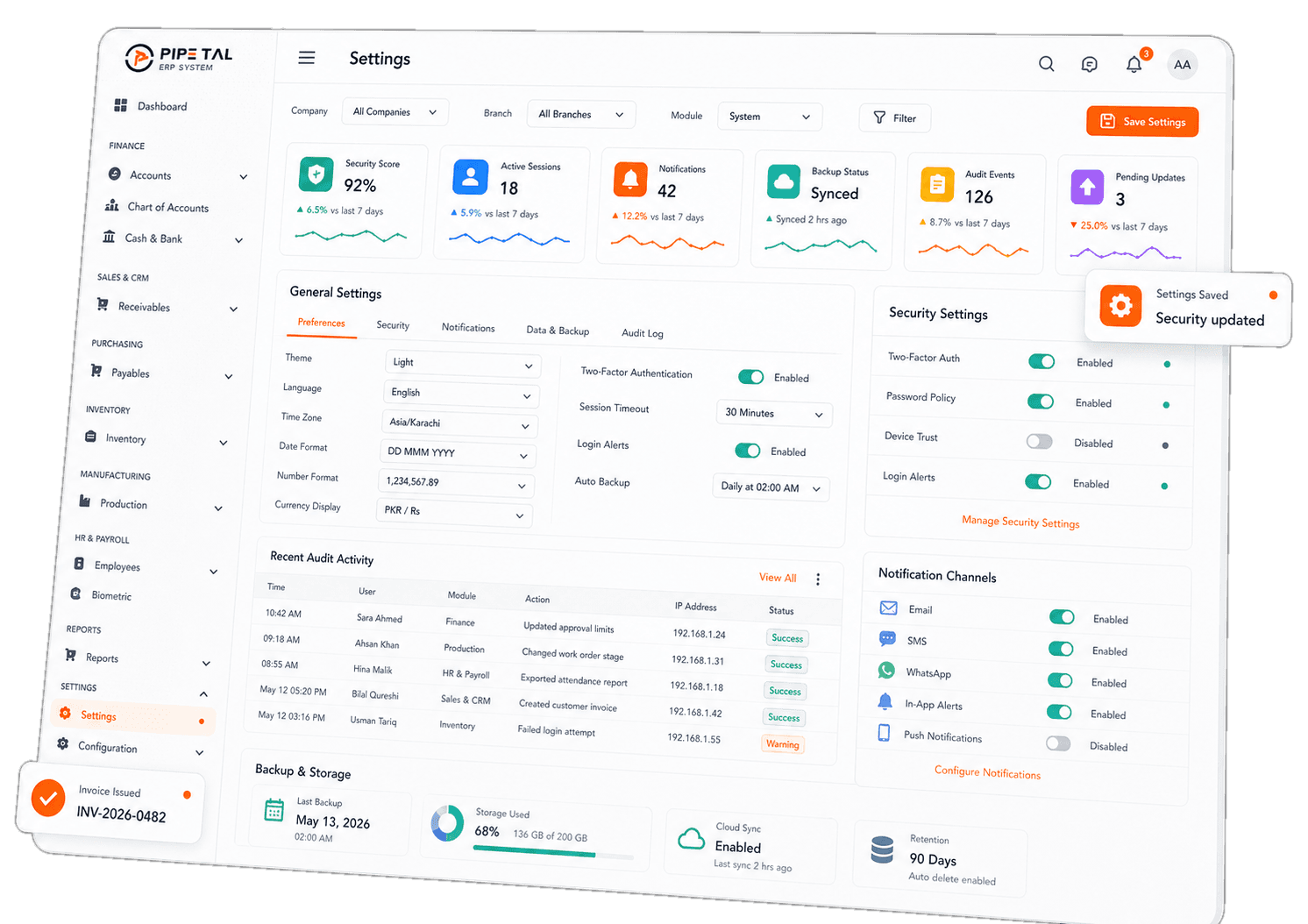
Everything Settings & Administration ships with.
Why teams switch to this module
300+ permissions, one matrix
Self-serve security. Your accountant can post but not delete. Your sales rep can quote but not approve credit. Your owner sees everything. No developer ticket, no menu rebuild.
Activity log = audit trail
Every create, update, delete, post and unpost is recorded with full JSON of the change. Compliance audits, dispute resolution and accountability all become one query.
Lose a phone, kill the session
Each user gets up to 5 active devices, oldest auto-revoked. Lose a device? Log in to web, kill the session, no password change required.
Who gets the most out of Settings & Administration.
- Admins and IT leads
- Owners shaping the security model
- Auditors verifying control and access
Frequently asked
Yes. Revoke a permission, the user refreshes their browser, and the menu and its underlying actions disappear. Live, no re-deploy, no ticket.
Deleted users and records are flagged, not erased. The Owner role can restore them with a click. Soft-delete-aware uniqueness checks prevent the classic “duplicate entry” error when re-creating a deleted email.
Ready to put Settings to work?
Talk to our team. We will walk through your factory’s exact use case.